Vysor
A window to your Phone

TL;DR: Vysor 5.0.7 — free app to mirror and control Android/iOS on Windows, Mac or Linux. Connect via USB or Wi-Fi. Free & Pro plans.
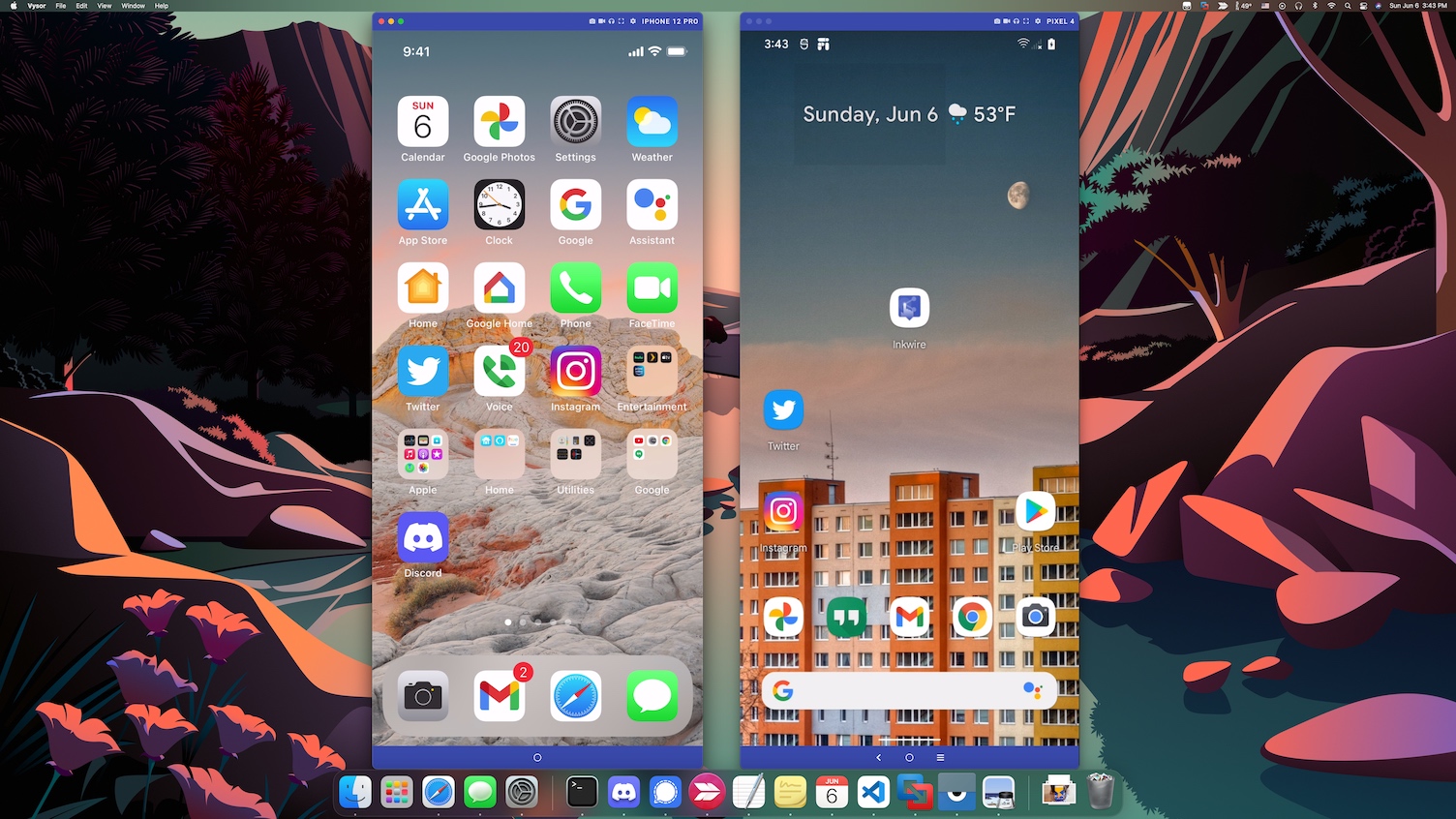
Type a hundred words per minute on your phone using your desktop keyboard.
Point, click, scroll. Your mouse works too.
Are you an Android developer? Vysor gives you the integration and ease of an emulator on a physical device.
Share your device, across the office, or across the globe. Screen and ADB access to remote devices. Simple as sending a link.
Vysor is a free desktop application that lets you mirror and control your Android or iOS device directly from your Windows, Mac, or Linux computer. Once connected via USB cable, your phone's screen appears in a resizable window on your desktop — and you can interact with it using your mouse and keyboard.
Developed by Koushik Dutta (ClockworkMod), Vysor has become one of the most popular phone mirroring tools used by Android developers, QA testers, and everyday users who want a bigger screen experience. With over 248 million users worldwide, it is trusted across personal and professional environments.
The free version of Vysor includes basic mirroring and control. Vysor Pro ($2.50/month, $10/year, or $40 lifetime) unlocks high quality mirroring, wireless mode, fullscreen, drag and drop file transfer, and Vysor Share — which lets you share your device remotely with anyone by sending a link.
There are many reasons to use Vysor. Developers use it as an alternative to Android emulators — testing on a real physical device is faster and more accurate. Support teams use Vysor Share to access customer devices remotely. Gamers use it to play mobile games on a large monitor with keyboard and mouse controls. Content creators use it to record their phone screen directly from their desktop.
Unlike other screen mirroring solutions, Vysor works on all major operating systems — Windows 10, Windows 11, macOS, and Linux — and is also available as a browser app at app.vysor.io, requiring no installation at all. Version 5.0.7 added initial support for iOS mirroring and control on Windows and Linux.
| Version | 5.0.7 |
| Updated | |
| Developer | Vysor, Inc. / ClockworkMod |
| Platforms | Windows 10/11, macOS, Linux, Browser |
| File size | ~120 MB (Windows) |
| License | Free / Pro ($2.50/mo · $10/yr · $40 lifetime) |
| Supports | Android (USB & Wi-Fi), iOS (USB) |
| Vysor | Vysor Pro | |
|---|---|---|
| Mirror and Control iOS/Android | ||
| Screenshots | ||
| High Quality Mirroring | ||
| Fullscreen Mode | ||
| Go Wireless | ||
| Vysor Share | ||
| Drag and Drop Files | ||
| Access to all future features | ||
| $2.50/mo, $10/yr, or $40/lifetime. Purchase available in app. | ||
| Enterprise Licensing is also available. | ||
Yes, Vysor is free to download and use. The free version includes basic mirroring and control. Vysor Pro unlocks high quality mirroring, fullscreen, wireless, drag & drop and Vysor Share.
Yes, Vysor 5.0.7 fully supports Windows 10 and Windows 11 (64-bit).
Yes, Vysor supports both Android and iOS devices via USB connection.
Vysor handles ADB automatically. You just need to enable USB Debugging on your Android device in Developer Options.
Yes, wireless mode is available in Vysor Pro. Connect once via USB, then switch to Wi-Fi.
Vysor Share lets you share your device screen and ADB access with others remotely by sending a simple link — available in Vysor Pro.